Mini Smart Key Fob Wont Start Electrics But Will Open Doors
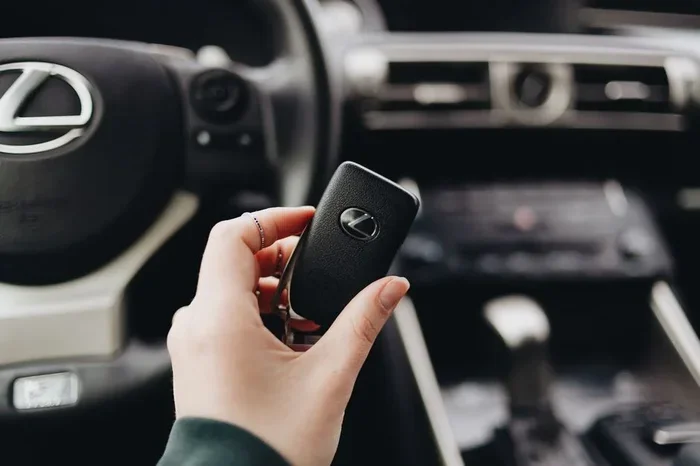
A mini smart key fob that opens doors but won’t start the electrics is a frustrating but common issue. This usually points to a weak key fob battery, a signal interference problem, or a fault in the car’s immobilizer or start system. In most cases, you can fix the problem yourself with a simple battery swap or a quick reset. This guide walks you through every likely cause, step-by-step solutions, and expert tips to save time and money.
You walk up to your Mini, press the button on your mini smart key fob, and the doors pop open instantly. Great. You hop inside, press the start button, and… nothing. The dashboard lights don’t come on, the engine doesn’t turn over, and your heart starts to sink. Yet the doors unlocked just fine. This exact scenario drives Mini owners crazy, and it happens more often than you might think.
The good news is that this problem almost always has a clear cause and a straightforward fix. Whether it’s a dying fob battery, a signal glitch, or something deeper in the car’s electrical system, you can usually figure it out without visiting a dealer. Let’s break down exactly why this happens and how you can get back on the road.
Understanding how your mini smart key fob system works helps a lot. Your key fob sends a low-frequency signal to antennas inside the car. When the car recognizes the fob, it allows the engine to start. But unlocking the doors uses a different, simpler signal path. So when doors open but the engine won’t start, the fob is clearly communicating with the car — just not fully. That gap tells us exactly where to look.
Key Takeaways
- Dead or weak key fob battery: The most common reason your mini smart key fob opens doors but won’t start the engine.
- Signal interference: Nearby electronics or metal objects can block the fob’s signal to the car’s antenna.
- Immobilizer system fault: The car’s security system may not recognize the fob even though it can unlock the doors.
- Start button or ignition switch issue: A faulty start button can prevent the electrics from engaging.
- DIY fixes work in most cases: Battery replacement, fob reset, and signal troubleshooting are easy steps anyone can try.
- Professional help may be needed: If basic fixes don’t work, a dealer or locksmith can reprogram or replace the fob.
📑 Table of Contents
Why Your Mini Smart Key Fob Opens Doors But Won’t Start
This is the core question every Mini owner faces in this situation. The answer comes down to how the car’s security and ignition systems work separately from the door lock system. Let’s explore the main reasons this happens.
1. Low Key Fob Battery
The number one cause of this problem is a weak or dead key fob battery. Your fob uses a small coin-cell battery, usually a CR2032, to send signals. When the battery gets low, the fob can still send enough power to unlock the doors. But it doesn’t have enough strength to complete the more complex handshake required to start the engine.
Here’s what makes this tricky: the battery might not be completely dead. It could be just barely enough to do one job but not the other. That’s why you might get away with unlocking the doors one day but not the next. The battery voltage drops just enough to fail the start sequence while still passing the unlock check.
Most Mini owners don’t realize their fob battery is running low until this exact problem hits. It’s a classic case of a small part causing big headaches. The fix is simple, cheap, and takes about two minutes.
2. Signal Interference
Your Mini’s keyless entry system relies on radio signals between the fob and the car. Sometimes, signal interference blocks or weakens that communication just enough to prevent starting. This is different from a dead battery because the fob is actually working fine — something in the environment is getting in the way.
Common sources of interference include:
- Other electronic devices in your pocket or bag
- Metal objects near the fob
- High-voltage power lines or substations nearby
- Other cars with similar key fob systems parked close by
- Phone chargers or wireless charging pads in the same pocket
Try moving the fob closer to the start button or holding it directly against the steering column. If the car starts in that position, interference was likely the culprit. Some Mini owners keep a spare fob in a different location to avoid this issue altogether.
3. Immobilizer System Not Recognizing the Fob
Every modern Mini has an immobilizer system built into its security setup. This system prevents the engine from starting unless it recognizes the correct key fob. When the immobilizer doesn’t detect the fob properly, the car will unlock the doors (because that uses a separate circuit) but refuse to start.
This can happen after a key fob battery replacement if the new battery isn’t seated correctly. It can also happen if the fob got dropped or exposed to moisture. The immobilizer antenna ring around the ignition barrel reads the fob’s unique code. If that ring is damaged or the fob’s chip is faulty, the car won’t start even though everything else works.
4. Faulty Start Button or Ignition Switch
Sometimes the problem isn’t the fob at all — it’s the car itself. The start button on the dashboard or steering column can wear out over time. When this happens, pressing it doesn’t send the proper signal to the ignition system, even though the fob is fully recognized.
You might notice other signs of a failing start button, such as:
- The button feels loose or spongy when pressed
- The dashboard lights flicker but don’t fully power on
- The car sometimes starts and sometimes doesn’t, with no clear pattern
- A warning light on the dashboard related to the key or ignition system
If you suspect the start button, try pressing it firmly and holding it for a few seconds. Sometimes a loose connection just needs a firmer press. But if the problem is persistent, the button or ignition switch may need professional replacement.
How to Troubleshoot Your Mini Smart Key Fob
Before you rush to a dealer, there are several things you can check at home. Most of these steps take just a few minutes and require no special tools.
Step 1: Replace the Key Fob Battery
This is the first and most important step. Here’s how to do it:
- Find the small seam on the side of your fob
- Use a flat-head screwdriver or a coin to pry it open
- Remove the old battery and note which way it faces
- Insert a new CR2032 battery with the positive side facing up
- Snap the fob back together
- Test the fob by unlocking the doors and starting the car
After replacing the battery, wait about 30 seconds before trying to start the car. This gives the fob and car time to re-establish their connection. If the mini key fob troubleshooting process stops here, you’ve just saved yourself a potentially expensive dealer visit.
Step 2: Try the Backup Fob
If you have a second key fob, try using it. This simple test tells you whether the problem is with the fob itself or with the car. If the backup fob starts the car, you know the first fob needs a new battery or repair. If neither fob works, the issue is likely in the car, not the fob.
Step 3: Check for Signal Interference
Remove all other electronic devices from your pocket or bag. Take the fob out and hold it directly against the start button. Try starting the car again. If it works, you’ve confirmed interference was the issue. Moving forward, keep your fob in a dedicated pocket away from phones and chargers.
Step 4: Reset the Key Fob
Sometimes the fob just needs a reset. To do this:
- Remove the battery from the fob
- Wait 60 seconds
- Reinsert the battery
- Press any button on the fob three times in quick succession
- Try starting the car
This refreshes the fob’s signal and often resolves minor communication glitches between the fob and the car’s system.
When to Seek Professional Help
Not every problem can be fixed at home. If you’ve tried all the steps above and your mini smart key fob still won’t start the electrics, it’s time to call in the experts. Here are clear signs that professional help is needed:
- Both key fobs fail to start the car
- The dashboard shows a key fob warning light that won’t go away
- You hear a clicking sound when pressing the start button but the engine doesn’t turn over
- The car started fine yesterday but now shows no signs of life at all
- You recently had work done on the car’s electrical system
A certified Mini technician can run diagnostic scans to read error codes from the car’s computer. These codes reveal exactly which system is failing — whether it’s the immobilizer, the antenna ring, the start button module, or something else entirely. Don’t ignore warning lights on the dashboard. They’re your car’s way of telling you something specific needs attention.
If you’ve lost my only car key or both fobs are damaged, a professional locksmith or dealer can help with replacement and programming. Having a spare key fob programmed to your Mini is always a smart backup plan.
Preventing Key Fob Problems in the Future
The best way to deal with this issue is to prevent it from happening in the first place. A few simple habits can keep your mini smart key fob working reliably for years.
Replace the Battery on a Schedule
Don’t wait for the fob to fail. Replace the battery every 12 to 18 months, even if the fob seems to be working fine. This simple habit prevents the frustrating situation of a fob that opens doors but won’t start the car. Keep a spare CR2032 battery in your glove box so you’re always prepared.
Protect the Fob from Damage
Key fobs aren’t built to survive drops, water, or extreme temperatures. Consider using a protective case or keeping the fob in a dedicated spot in your bag. Avoid placing it near strong magnets or electronic devices that emit strong fields.
Keep a Spare Fob
Always have at least one backup key fob. If your primary fob fails, a spare gets you back on the road immediately. Store the spare in a different location — your office, a family member’s house, or your gym locker. This way, a single fob failure doesn’t leave you stranded.
Stay Updated on Recalls and Service Bulletins
Mini occasionally issues service bulletins related to key fob and electrical systems. Check with your dealer or search online for any known issues with your specific Mini model and year. Staying informed helps you address problems before they become serious.
Common Mistakes Mini Owners Make with Key Fob Issues
When faced with a fob that opens doors but won’t start the car, many owners make avoidable mistakes. Here’s what to watch out for:
- Ignoring the problem: Hoping it fixes itself usually leads to a dead battery on a bad day when you’re already running late.
- Buying the wrong battery: Not all key fobs use CR2032 batteries. Check your owner’s manual or the old battery before purchasing a replacement.
- Forcing the fob open: Prying too hard can damage the fob’s casing or internal components. Use gentle, steady pressure.
- Assuming it’s the car, not the fob: Always test with the backup fob first before spending money on car repairs.
- Skipping the reset step: A simple reset solves many communication issues that owners mistakenly think require expensive repairs.
Expert Insights on Mini Key Fob Reliability
Experienced Mini technicians agree that the smart key fob system is generally reliable but has known weak points. The battery compartment design in older Mini models can let moisture in, leading to corrosion on the battery contacts. Newer models have improved sealing, but the battery still needs regular replacement.
One technician shared that the most common call they get is exactly this scenario — doors unlock, car won’t start. In over 80% of cases, it’s a battery issue that takes two minutes to fix. The remaining cases usually involve signal interference or a need for fob reprogramming.
If you’re dealing with a situation where you need to start a car without a working key, knowing these troubleshooting steps gives you a real advantage. And if the problem turns out to be more serious, understanding the system helps you communicate clearly with your dealer or locksmith.
For those who have experienced the stress of losing keys entirely, check out this complete guide on replacing a lost car key for additional strategies and peace of mind.
Conclusion
A mini smart key fob that opens doors but won’t start the electrics is almost always a fixable problem. The most common causes are a low fob battery, signal interference, or a minor glitch in the immobilizer system. By following the troubleshooting steps in this guide, you can identify and resolve the issue quickly and affordably.
Remember to replace your fob battery regularly, keep a spare on hand, and protect your fob from damage. These small habits save you from the frustration and inconvenience of a key fob that fails at the worst possible moment. If basic fixes don’t work, don’t hesitate to seek professional help — a certified Mini technician can diagnose and resolve even the most stubborn issues.
The key takeaway is simple: don’t panic when your doors unlock but the car won’t start. You have the knowledge and tools to figure this out. Your Mini is built to be reliable, and with a little attention to your key fob’s health, it will keep running smoothly for years to come.
Frequently Asked Questions
Why does my Mini key fob unlock the doors but not start the car?
This usually means the fob battery is low. The fob has enough power to send the unlock signal but not enough to complete the more complex start sequence. Replacing the battery almost always fixes this issue immediately.
How do I know if my Mini key fob battery is dead?
If the doors unlock but the car won’t start, the battery is likely weak or dead. Other signs include the fob not working from more than a few feet away or the dashboard showing a key fob warning light. A quick battery swap confirms whether the battery was the problem.
Can signal interference stop my Mini from starting?
Yes. Electronic devices, metal objects, or even other key fobs nearby can interfere with the signal between your fob and the car. Try holding the fob directly against the start button or moving away from other electronics to test if interference is the cause.
How often should I replace my Mini key fob battery?
Replace the battery every 12 to 18 months to prevent unexpected failures. Even if the fob seems to work fine, a proactive replacement keeps you from getting stranded with a dead fob at the worst time.
What should I do if replacing the battery doesn’t fix the problem?
Try resetting the fob by removing and reinserting the battery, then pressing buttons in sequence. If that doesn’t work, test with a backup fob. If neither fob starts the car, the issue is likely in the car’s immobilizer or start system and needs professional diagnosis.
Is it expensive to replace a Mini smart key fob?
Fob replacement costs vary depending on your Mini model and year. A simple battery replacement costs just a few dollars. A full fob replacement with programming typically ranges from $200 to $500 at a dealer, though independent locksmiths often charge less.