2018 Subaru Outback Lane Keep Assist Guide and Review
The 2018 Subaru Outback Lane Keep Assist is a smart safety feature that helps drivers stay centered in their lane. This system uses cameras and sensors to detect lane markings and gently steer the vehicle back on track. In this guide, we break down how it works, how to use it, and what owners need to know about common problems and settings.
The 2018 Subaru Outback Lane Keep Assist is one of the standout safety features in this popular midsize SUV. If you drive your Outback on long highway trips or commute daily through busy traffic, this system can make a real difference. It helps reduce driver fatigue and adds an extra layer of protection on the road.
Many car buyers look for advanced driver assistance features when shopping for a used SUV. The 2018 model year brought some important updates to Subaru’s safety lineup. Lane Keep Assist sits at the heart of that package. But how exactly does it work? When should you use it? And what do you do when it acts up?
This guide answers all of those questions and more. We will walk you through every aspect of the system so you can get the most out of your vehicle. Whether you are a new Outback owner or thinking about buying one, this article has you covered.
Key Takeaways
- Lane Keep Assist is standard or available: Depending on your trim, the 2018 Subaru Outback may include this feature as part of the EyeSight suite or as an add-on package.
- It works with cameras, not just sensors: The system uses a forward-facing camera mounted near the rearview mirror to read lane lines on the road.
- You can turn it on and off: Drivers have full control and can disable the feature anytime using the steering wheel controls.
- Common issues include false deactivations: Dirty cameras, faded road lines, and certain road conditions can cause the system to disengage unexpectedly.
- Regular maintenance matters: Keeping the camera lens clean and ensuring proper tire pressure helps the system perform at its best.
📑 Table of Contents
- What Is the 2018 Subaru Outback Lane Keep Assist System?
- Which 2018 Subaru Outback Trims Include Lane Keep Assist?
- How to Turn Lane Keep Assist On and Off
- Common Issues and Troubleshooting
- Maintaining Your Lane Keep Assist System
- How Lane Keep Assist Compares to Other Subaru Safety Features
- Expert Insights and Real-World Performance
- Final Thoughts on the 2018 Subaru Outback Lane Keep Assist
What Is the 2018 Subaru Outback Lane Keep Assist System?
The 2018 Subaru Outback Lane Keep Assist is part of Subaru’s EyeSight driver assist technology. It uses a stereo camera setup mounted behind the rearview mirror. These cameras read the road ahead and detect lane markings on both sides of your vehicle.
When the system notices your car drifting toward a lane line without a turn signal activated, it steps in. It provides a gentle steering correction to nudge you back into the center of the lane. The intervention is subtle and designed to feel natural, not jarring.
This feature works alongside other safety tools like adaptive cruise control and pre-collision braking. Together, these systems create a comprehensive safety net for everyday driving. Subaru has built a strong reputation for making its safety features reliable and easy to use.
How the Camera System Works
The forward-facing camera is the brain of the Lane Keep Assist system. It constantly scans the road surface for white or yellow lane markings. The camera processes this information in real time and sends signals to the electric power steering system.
Here is a simple breakdown of how it all works:
- The camera captures images of the road ahead.
- The system identifies lane boundaries on both sides.
- If you start to drift, it applies a small steering input.
- The system pauses if you activate a turn signal.
This process happens almost instantly. Most drivers barely notice the corrections unless they are paying close attention. The system is designed to assist, not replace, the driver. You should always keep your hands on the steering wheel and stay alert.
Which 2018 Subaru Outback Trims Include Lane Keep Assist?
Not every 2018 Subaru Outback comes with Lane Keep Assist standard. The availability depends on the trim level and the options package you choose. Understanding what comes with each trim helps you know what to expect.
The base 2018 Outback 2.5i model may not include Lane Keep Assist as standard. However, higher trims like the Outback 2.5i Premium, Outback 3.6R, and Outback 3.6R Touring often include it as part of the EyeSight suite. Some trims offer it as part of a technology package that bundles several driver-assist features together.
If you are shopping for a used 2018 Outback, check the vehicle’s window sticker or ask the seller about the EyeSight package. This is the easiest way to confirm whether the Lane Keep Assist feature is present.
| Trim Level | Lane Keep Assist | EyeSight Included |
|---|---|---|
| 2.5i Base | Not Standard | Optional |
| 2.5i Premium | Yes (with EyeSight) | Yes |
| 2.5i Limited | Yes (with EyeSight) | Yes |
| 3.6R Touring | Yes (Standard) | Yes |
Keep in mind that the X Mode feature, which enhances off-road capability, is a separate system. You can learn more about whether the Subaru Outback has X Mode in our dedicated guide on that topic.
How to Turn Lane Keep Assist On and Off
Using the Lane Keep Assist system is straightforward. The controls are located on the steering wheel, right where you would expect them. Subaru designed the interface to be intuitive and easy to reach while driving.
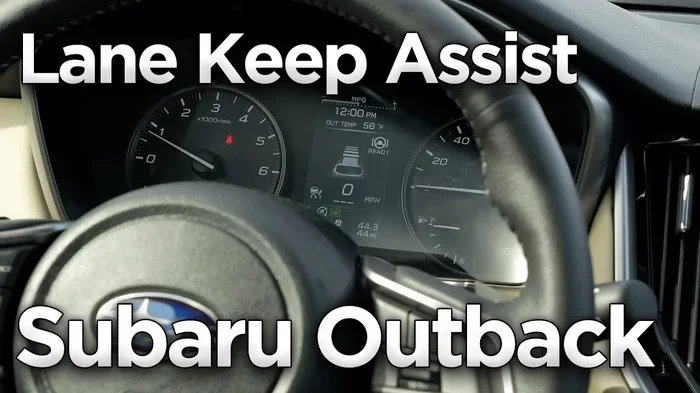
To activate the system, press the EyeSight or Lane Keep Assist button on the left side of the steering wheel. A blue indicator light on the dashboard will confirm that the system is active. When the system is working, you will see a small lane-keeping icon in your instrument cluster.
To turn it off, simply press the same button again. The indicator light will go off, and the system will stop providing steering corrections. Some drivers prefer to turn it off in heavy traffic or on winding roads where frequent corrections might feel annoying. That is perfectly fine. You are always in control of the vehicle.
You can also adjust the sensitivity of the system in some models. Check your owner’s manual for specific instructions on customizing how the Lane Keep Assist responds to lane drift.
Quick Tips for Using Lane Keep Assist
- Always keep your hands on the steering wheel, even with the system active.
- Turn the system off when driving on unpaved or poorly marked roads.
- Clean the camera area near the rearview mirror regularly.
- Use turn signals when you intend to change lanes so the system knows to pause.
- Remember that Lane Keep Assist is an aid, not a replacement for attentive driving.
Common Issues and Troubleshooting
Like any electronic system, the 2018 Subaru Outback Lane Keep Assist can encounter problems from time to time. Most issues are minor and easy to fix. Understanding what can go wrong helps you stay calm when a warning light appears on your dashboard.
One of the most common complaints from Outback owners is that the Lane Keep Assist system turns off unexpectedly. This often happens when the camera lens becomes dirty or obstructed. Dust, snow, mud, or even a dirty windshield near the rearview mirror can block the camera’s view of lane lines.
Another issue drivers face is the system not engaging at all. This can occur if the lane markings are faded, covered in snow, or missing entirely. Construction zones with temporary lane markers can also confuse the system. In these cases, the system will simply remain off until conditions improve.
Some owners report a warning light staying on after the system should have reactivated. This is often a simple sensor reset issue. Turning the ignition off and back on usually clears the problem. If the light persists, it may be time for a professional diagnostic check.
Warning Lights to Watch For
The 2018 Subaru Outback uses several dashboard lights to communicate the status of the Lane Keep Assist system. Here are the most important ones to recognize:
- Blue lane-keeping icon: The system is active and monitoring lane markings.
- Yellow or orange warning light: The system has detected an issue and may be disabled.
- Red warning light: A more serious problem exists. Pull over safely and consult your owner’s manual or a mechanic.
If you notice an orange or yellow warning light related to your Subaru Outback, it could also be connected to other systems. For instance, tire pressure issues can sometimes trigger cascading warning lights on the dashboard. Our guide on Subaru Outback tire pressure lights staying on covers this topic in detail.
Maintaining Your Lane Keep Assist System
Keeping your Lane Keep Assist system in good shape is easier than you might think. Regular maintenance goes a long way toward ensuring the system works reliably every time you need it.
Start with the camera lens. This small lens sits at the top of the windshield, just behind the rearview mirror. Wipe it gently with a soft cloth when you clean your windshield. Avoid using harsh chemicals that could scratch or cloud the lens surface.
Next, make sure your windshield is in good condition. Cracks or chips near the camera mounting area can interfere with the system’s ability to read lane lines. If you notice damage in that area, get it repaired promptly.
It is also a good idea to keep your software up to date. Subaru occasionally releases updates that improve the performance of the EyeSight suite, including Lane Keep Assist. If you are unsure about how to update your system, a visit to your local Subaru dealer can handle this quickly.
Proper tire pressure plays a role too. When your tires are underinflated, the vehicle’s handling changes slightly, which can affect how the Lane Keep Assist system interprets lane position. If you see a tire pressure warning light, address it right away to keep all systems working properly.
Seasonal Considerations
Different seasons bring different challenges for the Lane Keep Assist system. In winter, snow and ice can completely cover the camera lens and lane markings. The system will naturally disengage in these conditions, which is expected behavior.
In fall, wet leaves and mud can obscure lane lines and dirty the camera lens. Spring brings pollen and road grime that can build up on the windshield near the camera. A quick wipe-down of the camera area during seasonal transitions can prevent most of these issues.
If you live in an area with harsh winters, consider keeping a microfiber cloth in your glove box specifically for cleaning the camera lens. This small habit can save you from unexpected system warnings on your daily commute.
How Lane Keep Assist Compares to Other Subaru Safety Features
The 2018 Subaru Outback Lane Keep Assist works best when paired with other Subaru safety technologies. Understanding how these features complement each other gives you a fuller picture of what the Outback offers.
EyeSight is the umbrella name for Subaru’s suite of driver-assist technologies. It includes pre-collision braking, adaptive cruise control, lane departure and keep assist, and throttle management. Together, these features create a very solid safety package for the Outback.
Lane Keep Assist is different from lane departure warning. A lane departure warning system only alerts you with a beep or vibration when you cross a lane line. Lane Keep Assist actually takes corrective action by adjusting the steering. This makes it a more proactive safety feature.
Some drivers also wonder about the difference between Lane Keep Assist and X Mode. X Mode is a drivetrain feature that optimizes power delivery for slippery or rough terrain. It has nothing to do with lane keeping. You can learn more about X Mode in our article on whether the Subaru Outback has an X Mode.
The 2018 model year was a strong year for Subaru safety. The IIHS gave the Outback high marks for crash prevention and mitigation, largely thanks to features like Lane Keep Assist and EyeSight. When shopping for a used SUV, these safety ratings are worth considering carefully.
Expert Insights and Real-World Performance
Real-world feedback from 2018 Subaru Outback owners offers valuable perspective on how Lane Keep Assist performs day to day. Most owners appreciate the system and find it helpful, especially on long highway drives.
Many drivers report that the system is particularly useful during highway cruising on long, straight stretches of road. It reduces the constant small steering adjustments that can cause arm fatigue over time. The corrections are gentle enough that they do not interfere with your normal driving rhythm.
However, some owners note limitations. The system struggles on roads with unclear or missing lane markings. Construction zones, gravel roads, and unpaved paths are not suitable for Lane Keep Assist. The system is designed for paved highways and well-maintained roads with clear lane lines.
Experts also emphasize that the system requires the driver to remain engaged. Subaru has designed Lane Keep Assist as a level one or level two automation feature, depending on the specific configuration. This means the driver must always be ready to take control. No current production system replaces the need for an attentive driver.
When to Disable Lane Keep Assist
There are several situations where turning off Lane Keep Assist is the right choice:
- Driving on unpaved or gravel roads
- Navigating through construction zones with temporary lane markings
- Driving in heavy snow or ice where lane lines are not visible
- Making frequent sharp turns on city streets
- When the camera lens is dirty or obstructed
Knowing when to disable the system shows that you understand its capabilities and limits. This awareness makes you a safer and more confident driver.
Final Thoughts on the 2018 Subaru Outback Lane Keep Assist
The 2018 Subaru Outback Lane Keep Assist is a thoughtful and well-executed safety feature. It adds real value to the driving experience, especially for those who spend a lot of time on highways or in stop-and-go traffic. The system is intuitive, reliable, and easy to use.
Like any technology, it has its limitations. Faded road lines, dirty cameras, and challenging road conditions can temporarily disable the system. But these limitations are well understood and easy to work around with a little knowledge and regular maintenance.
If you own a 2018 Subaru Outback, take the time to explore all the features in your EyeSight suite. Understanding what each system does and how to use it properly will make you a better, safer driver. Keep your camera lens clean, stay aware of warning lights, and remember that technology is a tool to assist you, not replace your judgment behind the wheel.
The 2018 Subaru Outback remains a strong choice in the midsize SUV market. With Lane Keep Assist as part of its safety package, it offers peace of mind for you and your passengers. Drive safely, stay alert, and enjoy the ride.
Frequently Asked Questions
What does the 2018 Subaru Outback Lane Keep Assist do?
The system uses a forward-facing camera to detect lane markings and provides gentle steering corrections when your vehicle starts to drift out of its lane. It works to keep your car centered between the lines without you making constant small steering adjustments.
Can I turn off the Lane Keep Assist on my 2018 Subaru Outback?
Yes, you can. Simply press the Lane Keep Assist button on the left side of the steering wheel to toggle the system off. The blue indicator light on your dashboard will turn off when the system is disabled. You can reactivate it anytime by pressing the same button again.
Why does my Lane Keep Assist keep turning off?
The most common reason is a dirty or obstructed camera lens. Dust, snow, or mud near the rearview mirror can block the camera’s view. Faded lane lines, construction zones, and poor road conditions can also cause the system to disengage. Cleaning the camera lens usually fixes the issue.
Is Lane Keep Assist the same as lane departure warning?
No, they are different. Lane departure warning only alerts you with a sound or vibration when you cross a lane line. Lane Keep Assist actually takes corrective steering action to keep your vehicle in the center of the lane. The Outback 2018 model may include one or both depending on the trim level.
Does Lane Keep Assist work in all weather conditions?
No. The system relies on visible lane markings, so it may not work properly in heavy snow, ice, or heavy rain. If lane lines are completely covered, the system will not engage. It is designed for clear road conditions where lane markings are visible to the camera.
How do I maintain the Lane Keep Assist camera on my 2018 Outback?
Wipe the camera lens gently with a soft microfiber cloth when you clean your windshield. The lens is located at the top of the windshield, just behind the rearview mirror. Avoid using harsh chemicals and keep the area free of dirt, snow, and obstructions for best performance.