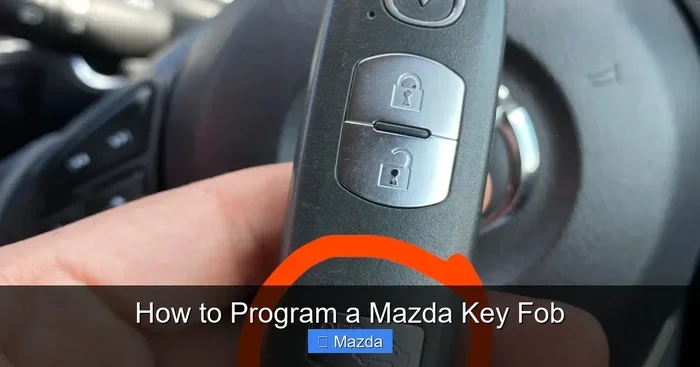
How to Program a Mazda Key Fob Easily at Home Today
Learning how to program a key fob Mazda doesn’t require a trip to the dealership or a big budget. With just a few simple steps, you can program your Mazda key fob at home and save time and money today. This guide walks you through the entire process using clear instructions that anyone can follow, whether you have a new replacement fob or need to reprogram an existing one.
Key Takeaways
- Always have your vehicle’s VIN ready before starting the programming process.
- Replace the battery in your new fob before attempting to program it.
- Keep all existing programmed fobs nearby during the programming sequence.
- Follow the exact sequence for your specific Mazda model year.
- Reset the system if the first programming attempt does not succeed.
- Visit a dealer if home programming fails despite multiple attempts.
📑 Table of Contents
- What Is a Mazda Key Fob and Why Programming Matters
- Tools and Preparation You Need Before Programming
- Step-by-Step Guide to Programming Your Mazda Key Fob
- Common Mazda Key Fob Programming Problems and How to Fix Them
- Tips to Keep Your Mazda Key Fob Working Like New
- When to Seek Professional Help for Mazda Key Fob Programming
- Final Thoughts on Programming Your Mazda Key Fob
What Is a Mazda Key Fob and Why Programming Matters
Your Mazda key fob does more than just lock and unlock your car. It arms the security system, starts the engine, and even opens the trunk with the press of a button. When the fob stops working, it can throw your entire routine off balance. Understanding how the fob communicates with your vehicle is the first step toward fixing the problem.
Most modern Mazdas use a smart key system that relies on radio frequency signals. The fob sends a coded message to the car’s receiver. If the code matches, the car responds. Over time, these codes can become corrupted. Batteries die. Buttons wear out. That is when you need to know how to program a key fob Mazda yourself.
Programming a Mazda key fob is not as complicated as many people think. You do not need a dealership appointment or a expensive mechanic. With the right guidance, you can handle this task at home in under 30 minutes. This guide walks you through every step in plain, simple language. You will learn what tools you need, what to do if things go wrong, and how to keep your fob working for years to come.
Tools and Preparation You Need Before Programming
Before you start, gather a few basic items. Having everything ready saves time and prevents frustration. Here is what you need:
- Your Mazda owner manual (the specific model year matters)
- A new or replacement key fob battery (usually CR2025 or CR2032)
- Your working key fob (if you have one)
- A calm, distraction-free space near your vehicle
- Your vehicle ignition key
Many people skip this step and then wonder why the programming fails. Your Mazda owner manual contains model-specific instructions that can make a big difference. Every Mazda model has slight differences in the programming process. The Mazda CX-5 and Mazda CX-30 have different procedures than older models. Always check your manual first.
If your current fob is unresponsive, try replacing the battery before programming a new one. A low battery in key fob often causes the same symptoms as a programming issue. You can read more about this connection in our article on how low battery in key fob results in no crank no start. It is a quick fix that saves a lot of headache.
Step-by-Step Guide to Programming Your Mazda Key Fob
Now for the part you have been waiting for. Below is the general process for programming a Mazda key fob at home. Remember, exact steps vary by model year, so always cross-reference with your owner manual.
Step 1: Enter the Vehicle and Close All Doors
Sit in the driver seat and close all doors firmly. Make sure no passengers are inside. The car needs to be in a specific state before programming begins. Some models require all doors to be closed for the system to recognize the programming mode.
Step 2: Turn the Ignition to the On Position
Insert your key into the ignition and turn it to the “On” position. Do not start the engine. Just move the key to the position where the dashboard lights come on. On newer Mazdas with push-button start, press the start button without pressing the brake pedal. The dashboard should illuminate.
Step 3: Press the Lock Button on the Fob
Within a specific time window (usually 5 to 10 seconds), press the lock button on your key fob. You should hear the doors lock and unlock. This confirms the car has entered programming mode. If nothing happens, try again. Timing matters here.
Step 4: Press the Lock Button on the New Fob
Within the same time window, press the lock button on the new or replacement fob. The car should respond by locking and unlocking the doors again. This step teaches the vehicle to recognize the new fob’s unique code.
Step 5: Repeat for Additional Fobs
If you are programming more than one fob, repeat Step 4 for each additional fob. The car can store multiple fob codes. Each one must be programmed individually within the programming window.
Step 6: Turn the Ignition Off and Test
Turn the ignition off and step away from the vehicle. Test each fob by locking and unlocking the doors from a distance. If the fob works, you have successfully completed the process.
For Mazda models with keyless entry systems, the process may involve pressing a combination of buttons on the fob itself. Check our guide on how to N program Mazda keyless fob for model-specific details on newer keyless systems.
Common Mazda Key Fob Programming Problems and How to Fix Them
Even when you follow the steps carefully, things can go wrong. Here are the most common issues and their solutions.
- Fob does not respond after programming: The battery in the new fob may be dead. Replace it and try again.
- Car does not enter programming mode: You may have missed the timing window. Try again and be faster with the lock button press.
- Only one fob works after programming both: The second fob was not programmed within the correct sequence. Repeat the process for the second fob.
- Fob works but push button start does not: Some models require a separate initialization for the push-button start function.
- Interference from other electronic devices: Move away from other vehicles or electronic equipment that might be sending radio signals on the same frequency.
If your fob stopped working after a battery change, the issue might be simpler than you think. A dead fob battery can prevent your car from starting or responding to remote commands. In some cases, you may need to open the vehicle without the fob. Learn how in our article on how to open the car without fob battery.
Quick Comparison: Programming Methods by Mazda Model
| Mazda Model | Programming Method | Time Required | Special Tools Needed |
|---|---|---|---|
| Mazda3 (2014-2023) | Ignition on, press lock button on fob | 10-15 minutes | Replacement fob |
| Mazda CX-5 (2016-2023) | Door sequence + ignition cycle | 15-20 minutes | Replacement fob |
| Mazda CX-30 (2020+) | Smart key initialization via menu | 10-15 minutes | Replacement fob |
| Mazda CX-9 (2016-2023) | Driver door + ignition sequence | 15-20 minutes | Replacement fob |
| Older Mazda Models (pre-2014) | Key fob self-programming mode | 5-10 minutes | None |
If you are working with an older Mazda and have a replacement fob from a newer vehicle, you may wonder whether it is compatible. The answer depends on the model year and the fob generation. You can read more about this in our article on can you program an old Mazda key fob with a new Mazda. It covers compatibility concerns in detail.
Tips to Keep Your Mazda Key Fob Working Like New
Programming is only half the battle. Once your fob is working, you want it to stay that way. Here are practical tips that extend the life of your Mazda key fob.
- Replace the battery every 12 to 18 months: Even if the fob still works, a fresh battery prevents sudden failure. Use a high-quality CR2025 or CR2032 battery depending on your model.
- Keep the fob away from water and extreme heat: Moisture and heat damage the internal electronics. Do not leave your fob on the dashboard in direct sunlight.
- Store a spare fob in a safe place: If you lose your only fob, reprogramming becomes much more complicated. A spare saves time and money.
- Clean the fob buttons regularly: Dirt and grime build up under the buttons. Use a soft, damp cloth to gently clean the surface.
- Avoid dropping the fob: Internal components are delicate. A drop can damage the circuit board or disconnect the battery contacts.
One of the best habits is to test your fob range regularly. Stand at the far end of your parking lot and try locking the car. If the fob does not respond from a reasonable distance, the battery is likely low. Catching this early means you never get stranded at your car door.
Another tip is to understand the difference between remote start programming and standard key fob programming. Remote start requires additional steps and sometimes a dealer visit. Not all Mazda models support aftermarket remote start fobs. Check your vehicle specifications before purchasing a replacement fob online.
When to Seek Professional Help for Mazda Key Fob Programming
DIY programming works for most situations. But there are times when professional help is the right call. Knowing when to stop and seek help saves you time, money, and frustration.
You should consider a professional if any of the following apply to your situation:
- You have lost all key fobs for your vehicle
- The car does not enter programming mode after multiple attempts
- You are working with a newer Mazda model that requires dealer-level diagnostic tools
- The fob has physical damage, such as a cracked case or broken buttons
- You have tried replacing the battery and reprogramming but the fob still does not work
Dealers have specialized equipment that can program fobs in seconds. They also have access to your vehicle’s security codes, which are sometimes required for programming. While a dealer visit costs more than DIY, it guarantees a correct result the first time.
On the other hand, if your fob simply needs a new battery or a basic reprogram, you can absolutely handle it yourself. The process is straightforward once you know the steps. Start with the basics before spending money on professional services.
Final Thoughts on Programming Your Mazda Key Fob
Learning how to program a key fob Mazda is one of the most useful skills you can develop as a car owner. It saves money, saves time, and gives you confidence when problems arise. Whether you are replacing a lost fob, swapping in a new battery, or programming a spare key, the process is within your reach.
Start with the preparation steps. Gather your tools. Read your owner manual. Then follow the programming sequence carefully. If you hit a roadblock, check the common problems section for solutions. And remember, keeping your fob well-maintained prevents most issues from ever happening in the first place.
Your Mazda key fob is a small device that plays a huge role in your daily driving experience. Treat it well, keep the battery fresh, and do not hesitate to program a replacement when needed. With the knowledge in this guide, you are fully equipped to handle Mazda key fob programming at home, today.
Frequently Asked Questions
How do I program a Mazda key fob at home?
To program a Mazda key fob at home, sit in the driver’s seat, close all doors, and rapidly press the power lock button on the door panel five times within five seconds. Then, turn the ignition to the ON position, press the lock button on the new fob, and turn the ignition back to OFF to complete the pairing process.
Can I program a Mazda key fob without visiting a dealer?
Yes, you can program a Mazda key fob without visiting a dealer, as most Mazda models allow self-programming using the vehicle’s built-in system. You will need a working key fob and the new unprogrammed fob to complete the process at home.
How much does it cost to program a Mazda key fob?
Programming a Mazda key fob at home costs you nothing since it is a free DIY process using your vehicle’s onboard system. If you choose to visit a dealer or locksmith, the cost typically ranges from $50 to $200 depending on your Mazda model and location.
What should I do if my Mazda key fob stops working after programming?
If your Mazda key fob stops working after programming, first check the battery and replace it with a fresh CR2025 or CR2032 battery if needed. Next, try reprogramming the fob by repeating the programming steps, making sure you follow the timing requirements precisely.
Which Mazda models support key fob programming at home?
Most Mazda models including the Mazda3, Mazda6, CX-3, CX-5, CX-9, and MX-5 Miata support key fob programming at home using the onboard method. However, the exact steps may vary slightly between model years, so always check your owner’s manual for the specific procedure for your vehicle.
How do I replace the battery in my Mazda key fob?
To replace the battery in your Mazda key fob, use a small flathead screwdriver to gently pry open the fob casing along the seam. Swap the old CR2025 battery for a new one, matching the positive and negative sides correctly, then snap the casing back together.