
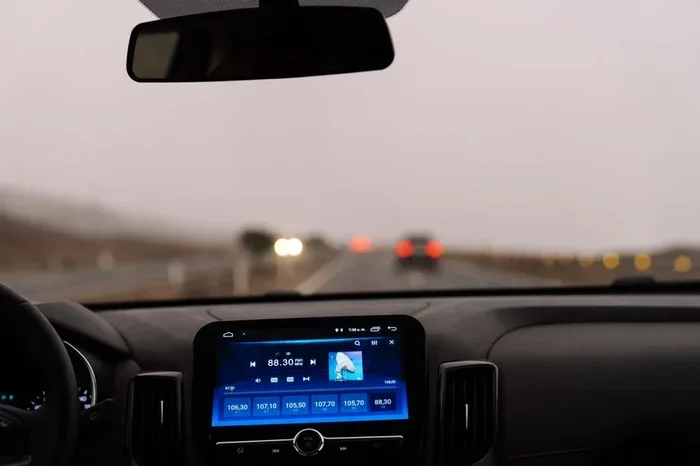
Rav4 Toyota Google Maps Guide for Easy Route Navigation
Using Rav4 Toyota Google Maps transforms your driving experience with smart route navigation and real-time traffic updates. This guide walks you through setup, features, and pro tips to get the most out of Google Maps on your Rav4. Whether you are a new Rav4 owner or a seasoned driver, you will learn how to navigate with confidence and ease.
Navigating with your Rav4 just got a whole lot easier. If you have ever stared at a confusing GPS screen or taken a wrong turn because of outdated directions, you know the frustration. Rav4 Toyota Google Maps solves that problem. It brings powerful, real-time navigation right into your vehicle. In this guide, we will walk you through everything you need to know. From setup to advanced tips, you will learn how to use Google Maps like a pro in your Rav4.
Google Maps is one of the most popular navigation tools in the world. It works seamlessly with many Toyota models, including the Rav4. The combination of a reliable vehicle and smart mapping technology makes every drive smoother. Rav4 Toyota Google Maps gives you live traffic data, voice-guided directions, and smart route suggestions. Whether you commute to work or plan a weekend road trip, this tool has you covered. Let us dive into the details and help you get started.
Key Takeaways
- Easy Setup: Connecting Google Maps to your Rav4 is quick and straightforward with a few simple steps.
- Smart Navigation: Rav4 Toyota Google Maps offers turn-by-turn directions, live traffic updates, and alternate routes.
- Offline Use: You can download maps for offline navigation, which is a great feature for road trips.
- Voice Commands: Use hands-free voice control to search destinations and manage routes safely while driving.
- Pro Tips: Small adjustments like setting home and work addresses save time and make daily commutes smoother.
- Toyota Care Matters: Keeping your Rav4 clean with proper floor mats complements your smart navigation setup.
📑 Table of Contents
Why Rav4 Toyota Google Maps Is a Game Changer
Navigation has come a long way from paper maps and bulky GPS devices. Today, your smartphone and your car work together in powerful ways. Rav4 Toyota Google Maps brings that power directly to your dashboard. You get real-time traffic updates, alternate route suggestions, and detailed street-level views. All of this happens while you keep your eyes on the road.
The Rav4 is already a fantastic vehicle. It offers strong fuel economy, spacious seating, and a reliable build. Adding Google Maps to the mix makes it even better. You no longer need to fumble with your phone while driving. The system connects directly to your infotainment screen. This means you can focus on the road and let Google Maps handle the rest. It is a simple upgrade that makes a big difference.
Real-Time Traffic and Route Updates
One of the best features of Rav4 Toyota Google Maps is live traffic monitoring. The app checks traffic conditions constantly. If there is a jam ahead, it reroutes you automatically. This saves you time and reduces stress. You also get alerts about road closures, accidents, and construction zones.
Here is what makes this feature stand out:
- Live traffic data updates every few minutes.
- Alternate route suggestions appear instantly.
- Estimated arrival times adjust based on current conditions.
- Road hazard alerts keep you informed of dangers ahead.
These features work together to give you the best possible route. You will notice the difference, especially during rush hour or holiday travel. It is like having a personal traffic analyst riding shotgun.
How to Set Up Rav4 Toyota Google Maps
Setting up Google Maps on your Rav4 is simple. You do not need to be a tech expert. The process takes just a few minutes. Once you are done, you will wonder how you ever drove without it. Let us break it down step by step.
Step 1: Connect Your Phone to the Rav4
First, you need to link your phone to the Rav4 infotainment system. Most newer Rav4 models support both Apple CarPlay and Android Auto. These systems let Google Maps display on your car screen. Here is what to do:
- Start your Rav4 and turn on the infotainment system.
- Connect your phone using a USB cable or wirelessly if supported.
- Select Apple CarPlay or Android Auto on the screen.
- Open Google Maps on your phone.
- The app should now appear on your car display.
Once connected, you will see the Google Maps interface on your screen. It is clean, easy to read, and designed for safe driving. You can also use voice commands to control everything. This keeps your hands on the wheel and your eyes on the road.
Step 2: Sign In and Sync Your Google Account
Signing into your Google account unlocks extra features. You get access to your saved locations, search history, and personalized recommendations. The Rav4 Toyota Google Maps setup becomes even more useful when it knows your preferences. To sign in:
- Open Google Maps on your phone.
- Tap the profile icon in the top right corner.
- Select your Google account or create one.
- Allow the app to sync with your car system.
Now your home address, workplace, and favorite spots are all saved. This makes daily navigation faster and more convenient. The system learns your habits over time and offers smarter suggestions.
Key Features of Rav4 Toyota Google Maps
The Rav4 Toyota Google Maps setup gives you access to many powerful features. Each one is designed to make your drive safer and more efficient. Let us explore the most useful ones.
Turn-by-Turn Navigation
This is the core feature of any GPS tool. Google Maps gives you clear, step-by-step directions. It tells you when to turn, merge, or change lanes. The voice guidance is loud and clear, even on busy highways. You will never miss a turn again.
Here is what turn-by-turn navigation offers:
- Lane guidance shows you the correct lane early.
- Distance markers tell you how far the next turn is.
- Speed limit alerts help you stay within the law.
- Automatic rerouting if you miss a turn or exit.
These features work together to make navigation effortless. Even in unfamiliar cities, you will feel confident and in control.
Voice Command Controls
Hands-free driving is essential for safety. Google Maps supports voice commands through both your phone and the car system. You can search for destinations, adjust volume, and change routes without touching your screen. Just say “Hey Google” and give your command.
Common voice commands you can use include:
- “Navigate to the nearest gas station.”
- “Take me home.”
- “Find a coffee shop nearby.”
- “Avoid highways on this route.”
Voice commands are a game changer for daily commuting. They keep your hands on the wheel and your attention on the road. The Rav4 Toyota Google Maps voice integration works smoothly and responds quickly.
Offline Map Downloads
Not every road trip has perfect cell service. Google Maps lets you download maps for offline use. This is perfect for remote areas, national parks, or places with weak signals. You can still navigate even without an internet connection.
To download offline maps:
- Open Google Maps on your phone.
- Search for the area you want to save.
- Tap the area name at the bottom of the screen.
- Select “Download” to save the map to your device.
Offline maps take up some storage space, but they are worth it. You will have peace of mind knowing you can navigate anywhere, anytime. This is one of the most underrated features of Rav4 Toyota Google Maps.
Tips and Tricks for Using Google Maps in Your Rav4
You now know the basics. But there are several tips and tricks that can take your experience to the next level. These small adjustments make a big impact on your daily driving.
Set Your Home and Work Addresses
Google Maps lets you save your home and work addresses. This is one of the simplest yet most powerful features. With just one tap, you can navigate to your usual destinations. It saves you time and makes your routine smoother.
To set these addresses:
- Open Google Maps and tap your profile icon.
- Go to “Settings” and then “Edit home or work.”
- Enter your addresses and save.
Now when you say “Navigate home,” the system knows exactly where to go. It is a small detail that adds up to big time savings over the weeks and months.
Use Favorites and Saved Places
You can save your favorite restaurants, gas stations, and parks. Google Maps organizes these into a convenient list. When you need to find a familiar spot, just check your saved places. This feature works especially well for Rav4 Toyota Google Maps users who travel frequently.
Here are some places worth saving:
- Your favorite weekend breakfast spot.
- The nearest charging station for electric Rav4 models.
- Gas stations along your regular commute route.
- Family and friends’ addresses for quick visits.
Explore Different Route Options
Google Maps always offers multiple route options. You can choose the fastest route, the shortest one, or one that avoids tolls and highways. Each option shows estimated time and distance. This lets you pick the route that best fits your needs.
For example, if you want a scenic drive on a sunny day, you can choose a route that avoids highways. Or if you are running late, pick the fastest option. The flexibility of Rav4 Toyota Google Maps gives you full control over your journey.
Common Mistakes to Avoid
Even with a great tool like Google Maps, some common mistakes can cause frustration. Avoiding these pitfalls will keep your navigation smooth and stress-free.
Forgetting to Update Maps Regularly
Google Maps updates frequently with new roads, businesses, and traffic patterns. If you do not keep your app updated, you may receive outdated directions. Make it a habit to check for updates once a week. This small step prevents many navigation headaches.
Ignoring Offline Map Downloads
Many users forget to download offline maps before a trip. When cell service drops, navigation stops working. Always download maps for your destination before heading out. This is especially important for long road trips through rural areas.
Overloading Your Phone Storage
Google Maps uses storage for offline maps, search history, and cached data. If your phone is low on space, the app may run slowly or crash. Clear your cache regularly and delete maps you no longer need. Keeping your phone storage healthy keeps Rav4 Toyota Google Maps running at its best.
Relying Only on GPS Without Common Sense
Technology is helpful but not perfect. Google Maps may sometimes suggest routes through dangerous roads or construction zones. Always use your judgment. If a route feels wrong, trust your instincts and find an alternative. The best navigation tool is a combination of smart technology and safe driving habits.
Keeping Your Rav4 in Top Shape for Smart Navigation
A great navigation system works best in a well-maintained vehicle. Keeping your Rav4 clean and organized enhances your overall driving experience. One simple way to do this is by investing in quality floor mats. Proper floor mats protect your car’s interior from dirt, spills, and wear. They keep your cabin looking fresh and feeling comfortable.
If you own a Toyota Highlander or another Toyota model, you already know the importance of Title Full Coverage TPE Floor Mats Toyota Highlander Complete Buying Guide. The same principle applies to your Rav4. Quality mats keep your floors protected and your car looking its best. They complement the smart technology in your vehicle by creating a cleaner, more organized cabin. When your car feels good inside, you enjoy every drive even more.
Consider matching your floor mats with your navigation setup. A clean, clutter-free cabin helps you stay focused on the road. It is a small detail that makes a big difference in your daily driving comfort and safety.
Final Thoughts
Rav4 Toyota Google Maps is more than just a navigation tool. It is a smart companion for every drive. From daily commutes to weekend adventures, it keeps you on track and informed. The setup is easy, the features are powerful, and the experience is smooth. You do not need to be a tech expert to use it effectively.
By following the tips in this guide, you will get the most out of Google Maps in your Rav4. Set up your home and work addresses. Use voice commands for hands-free control. Download offline maps before road trips. And avoid common mistakes that slow you down. These small steps add up to a much better driving experience.
Your Rav4 is already an excellent vehicle. Adding Google Maps to the mix makes it even more capable. So go ahead, explore new routes, discover new places, and enjoy every mile. Safe travels and happy navigating!
Frequently Asked Questions
How do I connect Google Maps to my Rav4?
You can connect Google Maps to your Rav4 using Apple CarPlay or Android Auto. Simply plug in your phone via USB or connect wirelessly, then open Google Maps. The app will display on your car’s infotainment screen, giving you full navigation access right from the dashboard.
Can I use Google Maps offline in my Rav4?
Yes, you can download maps for offline use in Google Maps. Before your trip, search for the area you plan to visit and tap “Download.” This lets you navigate without cell service, which is perfect for remote areas or long road trips where signal may be weak.
Does Rav4 Toyota Google Maps support voice commands?
Absolutely. Google Maps supports hands-free voice commands through both your phone and the car’s system. You can say “Hey Google” followed by commands like “navigate home” or “find a restaurant nearby.” This keeps your hands on the wheel and your eyes on the road.
How often should I update Google Maps on my Rav4?
You should update Google Maps at least once a week. Regular updates ensure you have the latest road data, traffic patterns, and business information. Keeping the app current helps you avoid outdated directions and improves your overall navigation experience.
Can I use Google Maps on a Rav4 without a smartphone?
Google Maps requires a connected smartphone for the best experience. However, some newer Rav4 models may offer built-in navigation features that integrate with Google services. For full functionality, pairing your phone with the car’s infotainment system is recommended.
What makes Rav4 Toyota Google Maps better than built-in GPS?
Google Maps offers real-time traffic updates, constantly changing route suggestions, and a vast database of businesses and landmarks. Built-in GPS systems often lack these dynamic features. The combination of your Rav4 and Google Maps gives you a smarter, more flexible navigation experience.
=== CONCLUSION ===
Rav4 Toyota Google Maps brings powerful, easy-to-use navigation right into your vehicle. With real-time traffic updates, voice commands, offline maps, and smart route suggestions, it makes every drive more efficient and enjoyable. The setup is simple, and the features are designed to keep you safe and informed on the road. By following the tips and avoiding common mistakes, you will get the most out of this amazing tool. Keep your Rav4 clean and organized with quality accessories, and enjoy a driving experience that is as smart as it is smooth. Happy navigating!